
Featured by Google since 2021

Add Rememberry to Chrome or Opera
In short
Install the Rememberry extension for Chrome and Opera to translate words on web pages and turn them into spaced-repetition flashcards. Basic use is free, with a 4.6 rating from 1,000+ Chrome Web Store reviews.
 Get it on Google Play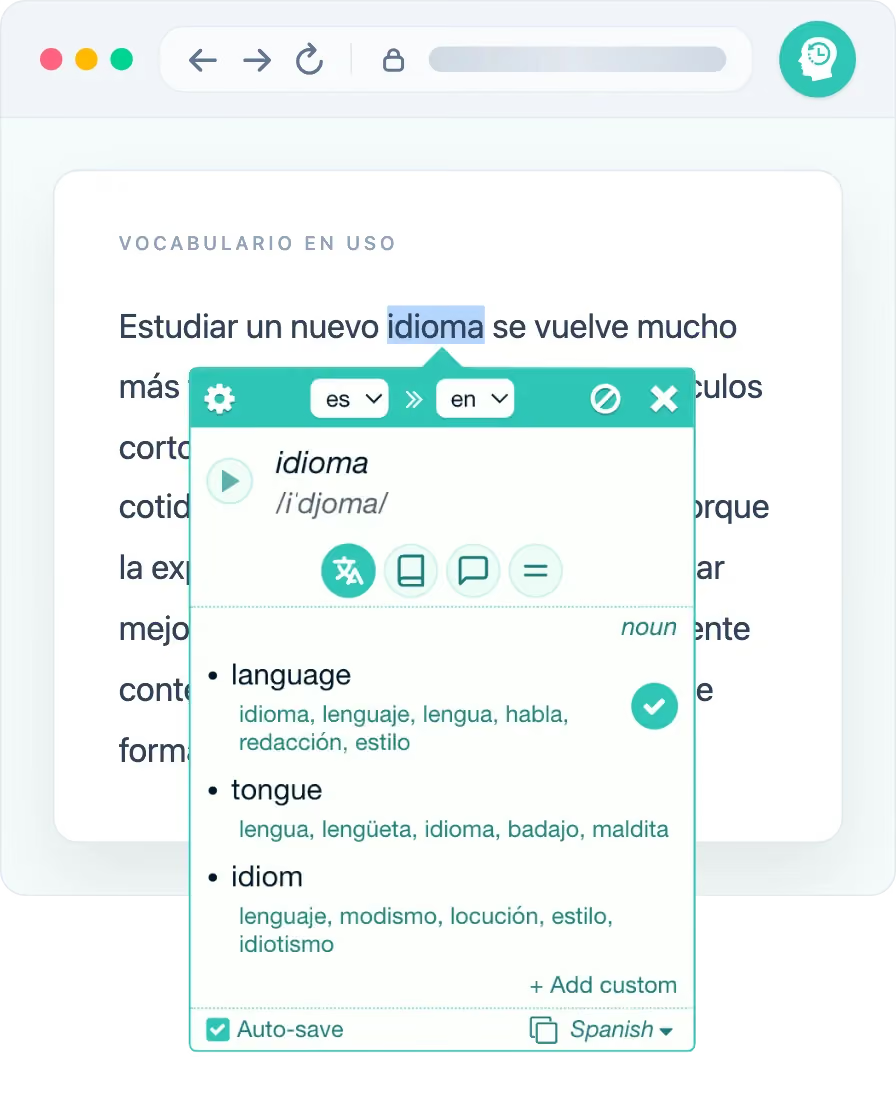
What you get in the browser
- Translate a word or phrase directly on the page you're reading
- Part-of-speech breakdowns, reverse translations and pronunciation
- Choose one or more meanings and save them to the deck you select
- Saved vocabulary highlighted when it appears on pages you browse, with mini-reviews in place
- Review with spaced repetition in Text, Listening and Typing modes
- Cards and progress sync with the web and mobile app
Install in three steps
- 1
Open the store listing
Head to the Rememberry listing on the Chrome Web Store from Chrome or Opera.
- 2
Add to your browser
Click Add, then confirm. Rememberry appears in your toolbar.
- 3
Translate and save
Select a word on a web page, see the translation, and save it as a flashcard.
FAQ
Chrome & Opera extension
Is the Rememberry Chrome extension free?
Yes. It's free to install from the Chrome Web Store and works in both Chrome and Opera. The Basic plan lets you translate and study with limits, Ext Lite unlocks unlimited and enhanced extension features, and Pro includes everything in Ext Lite, plus the mobile and web app, synchronization and auto-backup to the cloud. AI practice is available in the app with Demo or Pro and uses your own AI chat.
Does it work in Opera too?
Yes. The same Chrome Web Store listing installs Rememberry in Opera, since Opera runs Chrome extensions.
How do I use it after installing?
Select or double-click a word on a web page to see its translation and pronunciation, then click save to turn it into a flashcard you can review with spaced repetition.
Prefer a different browser?


Ready to translate as you browse?
Add Rememberry to Chrome or Opera, then select a word to save your first card.