Feature · Translate
Translate on the page, then save a flashcard
In short
Translate a word or phrase directly on the page you're reading, then save the meaning you need as a flashcard.
 Get it on Google Play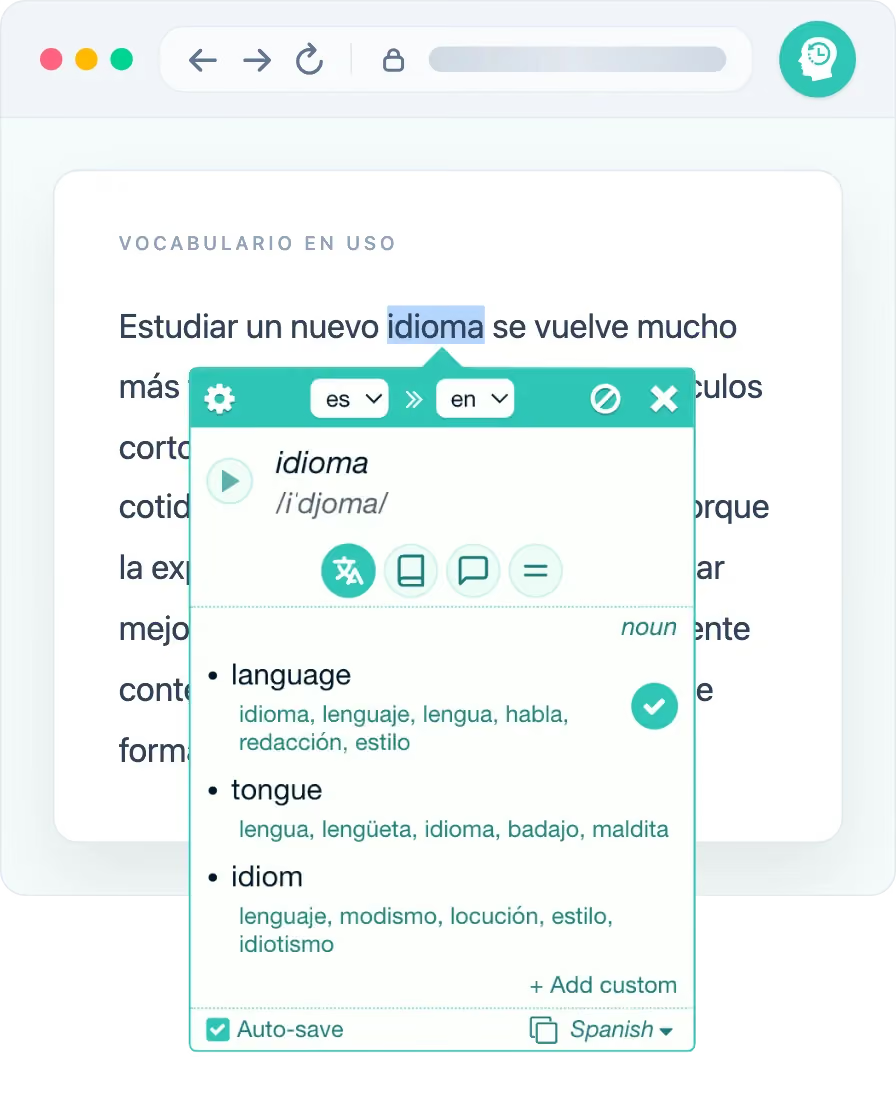
Keep the words you find in context
Translate in place
Select text to open its translation in a compact popup. Translate across more than 100 languages without leaving the page.
Understand the meaning
Compare reverse translations and part of speech. For many languages, open dictionary details: transcription, definitions, examples, synonyms and antonyms.
Hear it spoken
Play text-to-speech for the original word when audio is available for that language.
Choose the meaning that fits
Compare the translation and available dictionary details, add your own wording if needed, and save one meaning or several.
- Select one or several returned meanings for the card
- Add your own wording and choose the target deck before saving
FAQ
In-page translation, explained
How do I translate a word on a web page?
With the Rememberry extension installed, select a phrase or double-click a word on the page. A popup shows the translation and available language details, and lets you save the meaning as a flashcard.
Does in-page translation work on every website?
It works on ordinary web pages with text. Browser-owned pages, extension pages, Rememberry app pages and websites you exclude are unavailable. Local files require browser permission, and PDF support varies by browser.
Translate words in your next article
Add Rememberry to your browser and start saving words the moment you read them.